Ask ten marketers what a UTM parameter is and you’ll get ten slightly different answers, most of them vague. That vagueness is exactly why so many analytics reports are a mess. So let’s be precise, because precision here is the whole game.
A UTM parameter is a labelled tag you append to a URL’s query string. When
someone clicks a link like
example.com/sale?utm_source=newsletter&utm_medium=email&utm_campaign=spring-2026,
your analytics tool reads those utm_* tags and files the visit under the
right channel and campaign. Strip the tags away and that same visit collapses
into a bucket labelled “direct” or “referral” — useless for deciding where to
spend next month.
The five parameters, and the question each one answers
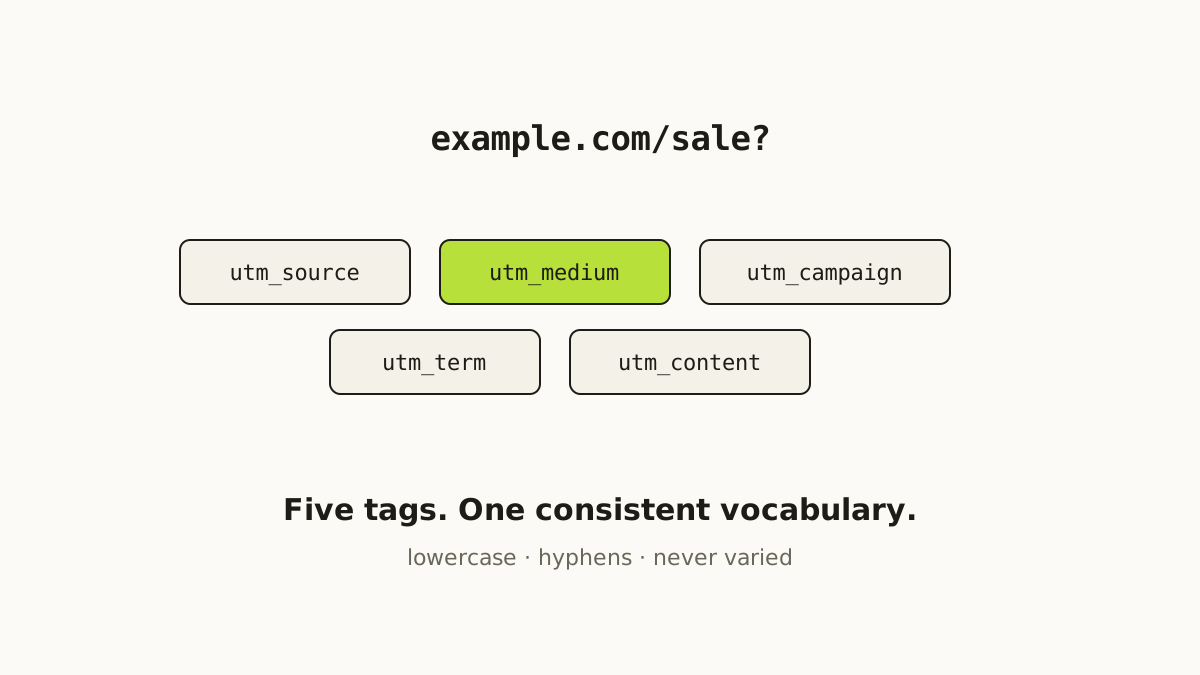
There are exactly five standard UTM parameters, and each answers a different question:
- utm_source — where specifically did this come from?
newsletter,instagram,partner-blog. The named origin. - utm_medium — what kind of channel is it?
email,social,cpcfor paid search,referral. The category. - utm_campaign — which marketing push does it belong to?
spring-sale-2026. This is the parameter that ties links across every channel together into one initiative. - utm_term — which paid keyword? Only relevant for paid search.
- utm_content — which specific link or variant?
hero-buttonvsfooter-link, or an A/B label.
Source, medium, and campaign are the three you should set on essentially every link. Term and content are optional, for when you need finer resolution.
Consistency is the entire discipline
Here’s the thing nobody tells you until you’ve already made the mess:
analytics tools are ruthlessly literal. Facebook, facebook, and FaceBook
are three different sources. spring sale and spring-sale are two different
campaigns. Every casing slip and every stray space splits one real channel’s
numbers across multiple rows, and no cleanup afterwards fully stitches them
back together — the clicks were already recorded under the wrong labels.
The fix is not complicated, but it does require discipline:
- Lowercase everything. Always. Our free UTM builder does this for you by default.
- Use hyphens, never spaces or underscores.
spring-sale-2026. - Pick one word per thing and never vary it. If it’s
newsletter, it is never alsoemail-newsletterornl.
Decide the vocabulary before you tag a single link
The single highest-leverage habit is to write down your naming scheme before
you start. List the exact set of sources you use — a short list like
newsletter, instagram, youtube, partner — and the small set of mediums
— email, social, cpc, referral. Treat that list as a controlled
vocabulary that everyone on the team draws from. The moment two people start
free-typing values, fragmentation begins.
This is the part most teams skip, and it’s the part that matters most. A spreadsheet of approved values, shared with everyone who makes links, prevents more reporting pain than any dashboard ever fixes.
Keep the campaign name stable across the whole initiative
If you’re running a spring launch across one email, three Instagram posts, and
a paid-search ad, every one of those links carries the same
utm_campaign=spring-sale-2026, while their utm_source and utm_medium
differ. That’s what lets you open a single report and see the launch as one
thing, then drill into which channel within it pulled its weight. Mismatched
campaign names are the number-one reason a “campaign report” looks half empty.
Three mistakes that quietly ruin your data
Never tag internal links. If you put UTM tags on a link between two pages of your own site, clicking it starts a fresh session and overwrites the real original source. Your best-performing channel vanishes from the report.
Never double-tag. If a URL already has utm_ parameters, don’t append more
— you’ll get duplicates and unpredictable behaviour. (Our builder warns you
when it detects existing tags.)
Never put anything sensitive in a UTM. The values are right there in the address bar. They’re marketing labels, not secrets.
Tagging is only half the job
A correctly tagged URL is long, ugly, and easy to fat-finger onto a flyer or into a bio. That’s where a shortener earns its keep: it wraps the tagged URL in a short, memorable link and — if it’s a good one — records every click so the scheme you designed becomes a report you can actually act on.
That’s the whole idea behind Shortifi: a controlled UTM vocabulary with autocomplete so nobody free-types a value, a short link on top, and click analytics that speak the same language. Build your first tagged URL by hand with the free UTM builder to see the shape of it — then let the app keep it consistent for you.